





Launching a mobile app is a bit of a maze, hundreds of little decisions, but one thing a lot of founders sort of gloss over is the whole app store screenshot thing.
For startup founders, indie makers, and smaller app teams, screenshots are often handled like a last minute chore, like “just before we publish” and then its done. You grab a few screens, upload them to the App Store or Google Play, and that’s it, launch is moving on.
But honestly, the reality is more like this: screenshots really do matter a lot in how people size up your app. They tend to be the first visual explanation of what the product actually is, and they can strongly push the “download or not” choice.
The good part? Making solid store assets no longer means you need a full on design team. If you use a decent workflow, founders can create strong screenshots that are simple to revise and also scale along with the product as it evolves.
Why Screenshots Matter for App Founders
When people discover an app, they usually spend only a few seconds, kind of deciding if it looks relevant to what they need. Screenshots help answer those key questions fast, like right away: what exactly does this app do? How does it handle my problem? Is it simple to use? And does it seem credible and nicely finished? A really solid set of screenshots can signal the value before someone even reads a longer, detailed writeup. For founders going up against established apps, screenshots end up being among the most important assets in the whole store listing.
Why Raw App Screens Are Not Enough
Many first-time founders just grab screens directly from the app then upload them straight to the store. Technically ok, sure, but raw screenshots usually don’t really perform well. The issue is more like users often can’t quickly figure out what they’re even looking at. An interface might look crystal clear to the product team, still, to a brand new visitor it can feel a bit off, confusing maybe, like nothing quite lines up.
Professional app store screenshots typically include:
- Clear visual hierarchy
- Consistent branding
- Device framing
- Strategic layouts
- Benefit-focused messaging
- Store-specific formatting
The goal is not just to show the product. The goal is to explain the product as quickly as possible.
How to Choose the Screens That Explain the App Fastest
Founders should avoid trying to show every little feature, really. Instead, just focus on the screens that answer the biggest user questions, you know, the ones that actually matter. A simpler approach is to find the core journey … like, identify it first:
- What problem does the app solve?
- What key action does the user take?
- What result does the user receive?
Choose screenshots that communicate those steps visually.
For example, a budgeting app might prioritize:
- Expense tracking
- Budget creation
- Spending insights
- Savings goals
- Monthly reports
The objective is clarity, not completeness.
If a new visitor can understand the app's value in a few seconds, the screenshots are doing their job.
How Captions Turn Features Into Benefits
A common mistake is describing features rather than outcomes.
Feature-focused caption:
"Advanced Analytics Dashboard"
Benefit-focused caption:
"See Your Business Performance at a Glance"
Users care less about the technology and more about the value they receive.
Effective screenshot captions should:
- Be short
- Be easy to scan
- Focus on outcomes
- Support the visual content
When captions explain benefits clearly, screenshots become easier to understand and more persuasive.
Why App Store and Google Play Assets Multiply Quickly
Many founders assume screenshot creation is a one-time task.
In practice, asset production can grow surprisingly fast.
Imagine a launch that starts with:
- 10 screenshots
Now add:
- iPhone versions
- Android versions
- Tablet screenshots
- 3 languages
- 2 ASO testing variants
The total becomes:
10 screenshots × 2 platforms × 2 device groups × 3 languages × 2 variants = 240 screenshot files
And that is before future product updates.
Every new feature, interface change, localization effort, or conversion experiment can require additional revisions.
This is why screenshot production often becomes much larger than founders initially expect.
How Reusable Screenshot Projects Save Time After Launch
A lot of teams end up making screenshots using one-off design files.
The problem is, with each little update, you have to kind of redo the entire process again, not just tweak a bit here and there.
A more sensible approach is building reusable screenshot projects where things like layouts, captions, branding elements, and the device frames stay editable. That means they do n’t get frozen in place.
So when a screen changes the team can update the source project and then regenerate store-ready exports, instead of restarting the whole thing from zero.
This becomes especially valuable for:
- Product updates
- New feature launches
- Localization
- Seasonal campaigns
- ASO testing
- Market expansion
Reusable workflows reduce ongoing maintenance costs and make future updates significantly faster.
A Simple Screenshot Workflow for Small Teams
Small teams do not need a dedicated design department to create professional assets.
A practical workflow might look like this:
- Capture the most important app screens.
- Select the screens that explain the core value proposition.
- Write concise, benefit-led captions.
- Apply consistent branding and layouts.
- Export platform-specific versions.
- Prepare localization and testing variants.
- Store everything in an editable project for future updates.
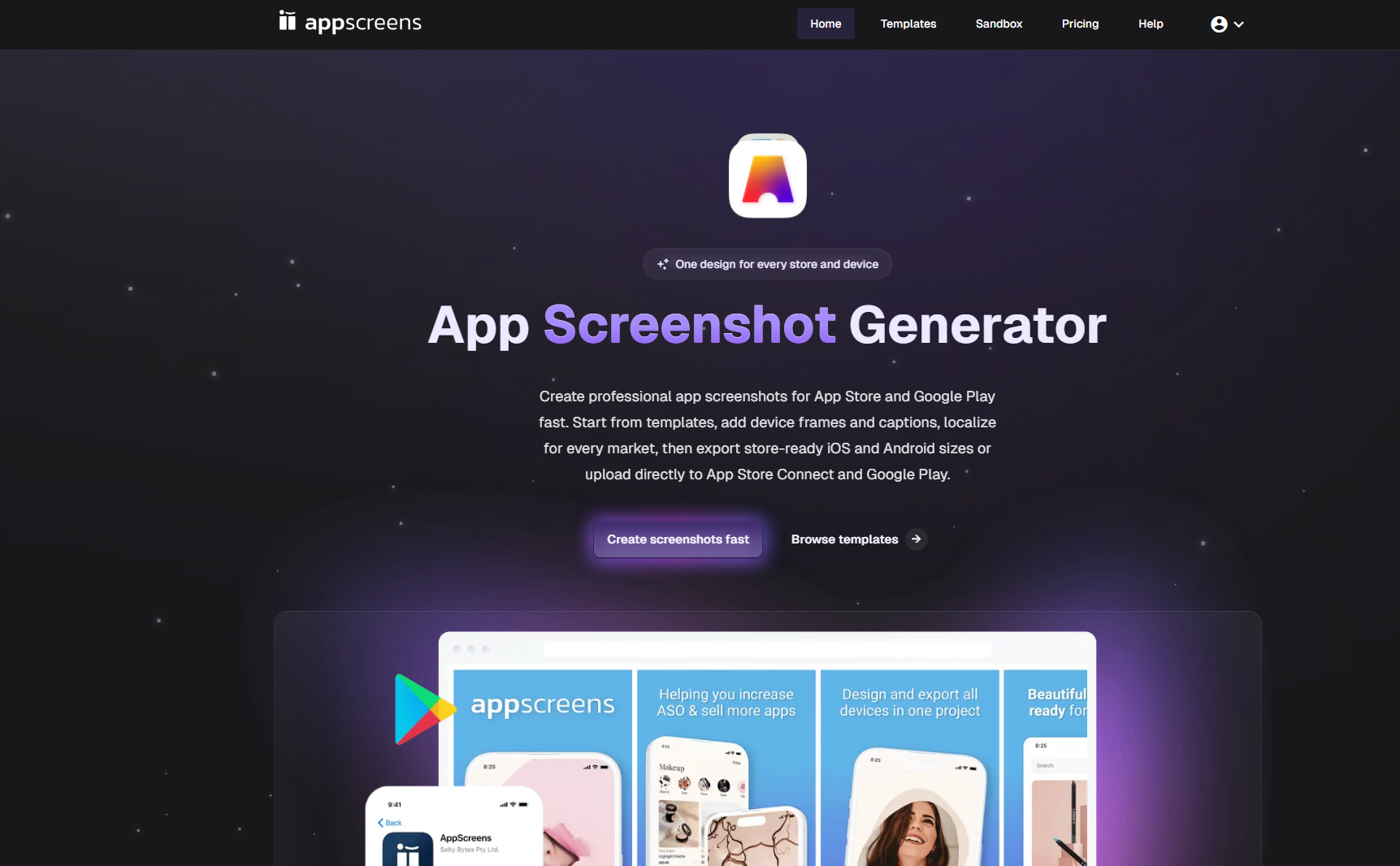
Something like AppScreens can help founders take actual app screens and turn them into clean App Store and Google Play screenshots from basically one editable project, with templates, AI assisted captions, localization, ASO variants, and store ready exports all in the same flow. It sort of reduces the back and forth that usually happens when you rework things again and again.
If you are more on the Apple ecosystem side , then an App Store screenshot generator can make it easier to handle compliant assets across the different device sizes. Likewise, a Google Play screenshot generator can help smooth out Android screenshot production and the export requirements that come along with it .
The main thing though isn’t the tool name, it is the workflow: build screenshot assets that can keep changing as the product changes, instead of freezing everything at launch.
Final Checklist Before Publishing
Before submitting screenshots to the App Store or Google Play, founders should verify:
- The first screenshot communicates the primary benefit.
- Captions focus on outcomes, not features.
- Screenshots are visually consistent.
- Platform-specific dimensions are correct.
- Localization versions are accurate.
- Future edits can be made without rebuilding everything.
- The screenshots accurately reflect the current product.
Store screenshots are not simply images from an app. they are also part of the product’s first, kind of “gut check” moment. For founders gearing up for a launch , taking time with crisp, scalable, and straightforward to refresh screenshots can make it easier for people to understand the product faster. and, later on, it can make growth way less messy to manage.



Leave a Reply