






- @LondonCityCircleEntrepreneurSocials
- @GeniusuLeadersCircle
- @EntrepreneursInstitute
- @BusinessSpeedNetworking
- @AiToolsForBusiness
Law firms should use AI to boost productivity, reduce operational costs, and improve their speed and accuracy. All of this lets lawyers free up their time to focus on the high-value tasks that lead to a better law practice. The workflow we’ve created is designed to help solo practitioners and small legal teams reclaim their time.
Stage 1: Lead Capture & Fast Response
Goal: Secure new clients instantly and eliminate manual follow-ups.
Most law firms lose clients for one reason: slow response time. Multiple times clients have complained about waiting five to seven business days to receive a response.
The Problem
- No centralized tracking of leads
- Missed calls and delayed email replies
- Inconsistent communication
- Manual follow-ups that fall through the cracks
The Solution: Automate Intake and First Contact
GoHighLevel (GHL): Acts as your 24/7 Intake Officer
After a potential client fills out a contact form, GHL’s "Workflows" immediately trigger a text response, add them to your CRM, and notify your team. Here’s what will happen:
- You can choose to either send them an instant SMS or an email. You could also choose to send both of them.
- All information automatically gets sent right to your CRM in GHL.
- After the information comes in, your team receives a notification in real-time.
- If the client fails to respond, a follow-up sequence will automatically come up.
How to Create a Lead Capture Form in GHL
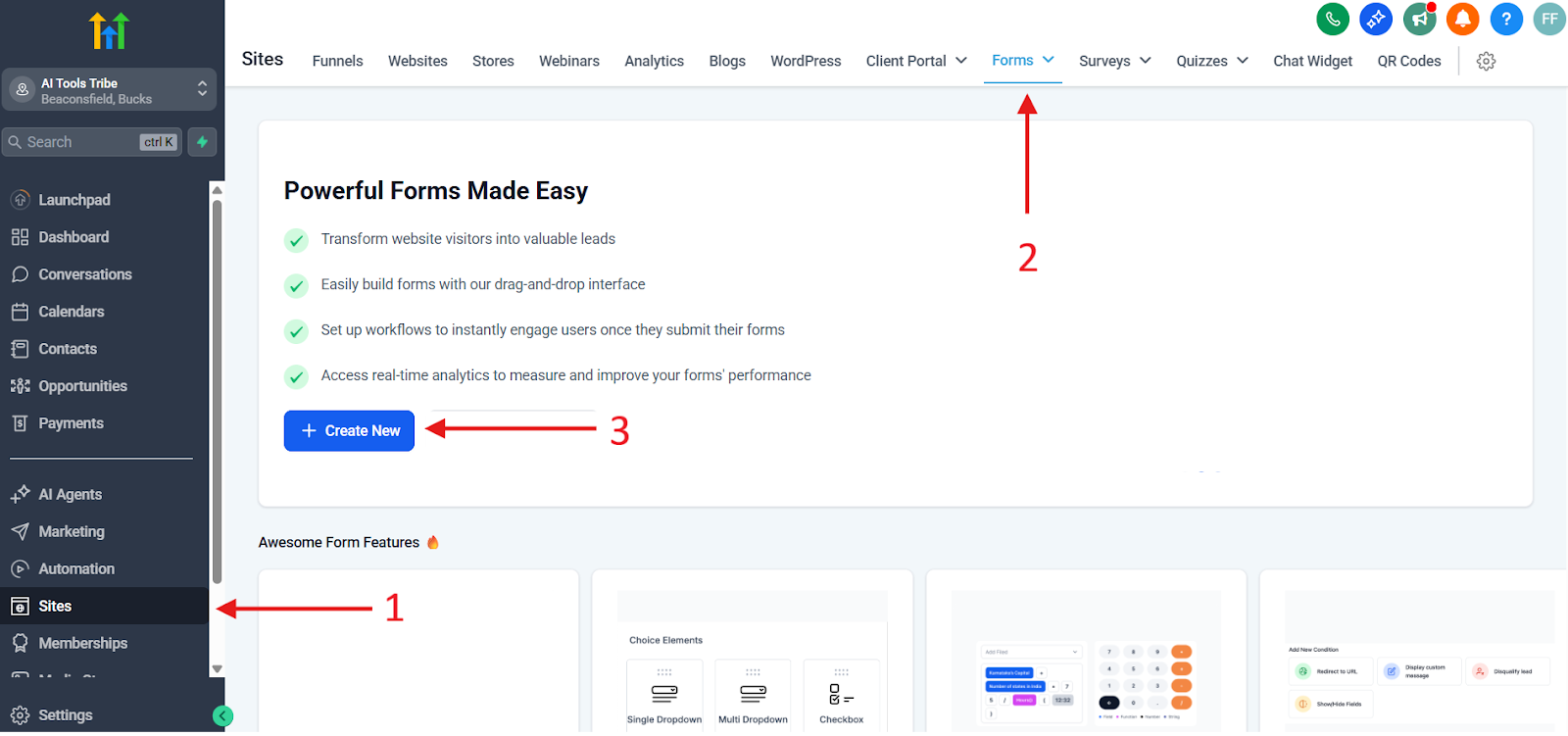
- First, you need to go over to your Form Builder. On the left hand side from your GHL dashboard, you will see Sites. Click on that, and after you click on it, go to Forms. From there, click on the button Create New.
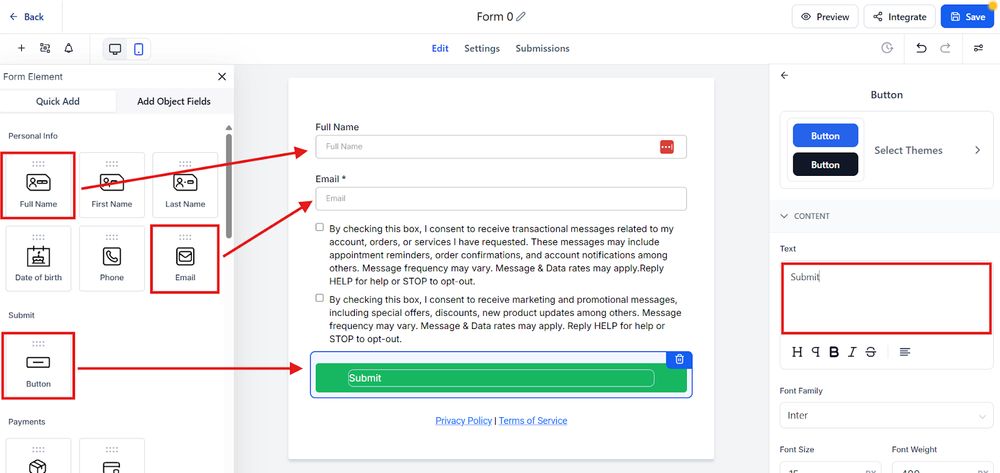
- Once you do this, it will launch your drag-and-drop builder. Remember that you want to design your form for the least friction possible. The less friction, the higher the conversion rate. The minimum amount of things you need in your form includes your Full Name, Email, and Button.
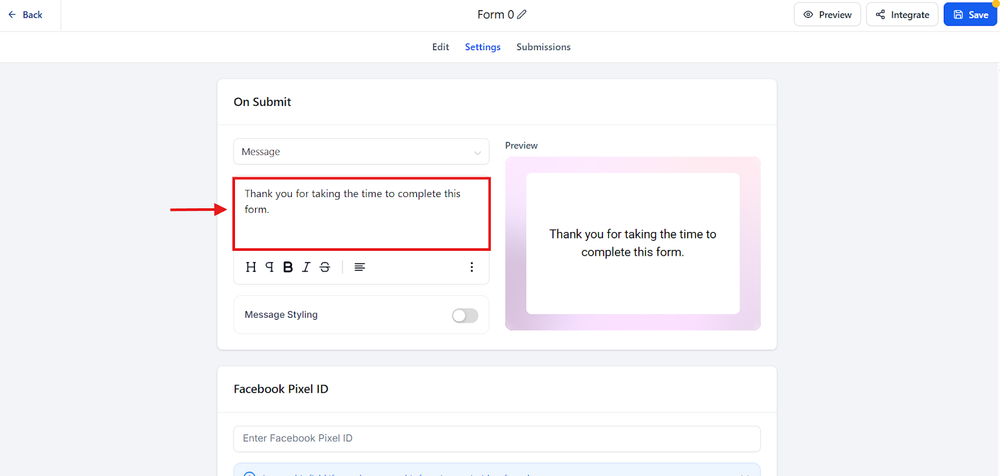
After you set up the form, you need to configure the redirect. Typically, this means that you want them to go to your Thank You page.
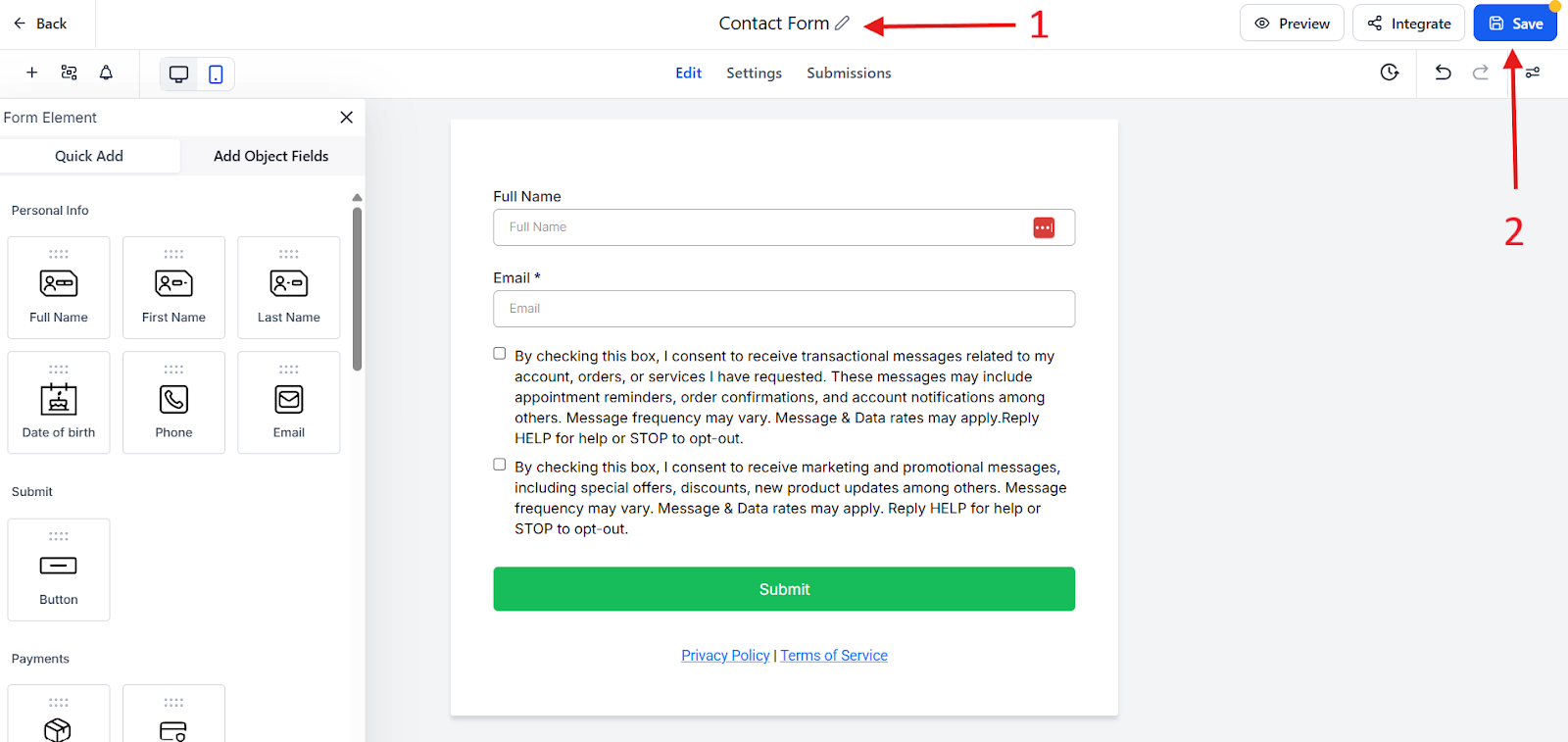
Finally, you need to name your form and save it.
Turn Leads into Clients with GHL
Instantly AI: Your Networking Powerhouse.
While GHL might focus on handling your inbound leads, Instantly AI will play another role. Many lawyers use Instantly AI for outbound growth and relationship building.
Practical Use Cases:
- Use it to follow up with leads who didn’t sign a use retainer.
- Re-engage with cold prospects.
- Reach out to your referral partners.






Leave a Reply